


The Varo Foundation is pleased to announce the release of Varo 2.0, available now on the Google Play Store (https://play.google.com/store/apps/details?id=com.intven.varo).
Varo 2.0 is a complete, ground-up rebuild of the Varo app. The new application infrastructure is cleaner, built on a more sustainable foundation, and designed to deliver a smoother experience — especially on devices that are commonly used in the field.
Varo continues to provide all of the essential features that you rely on: guided connections to your logger, reliable data download, simple report generation and sharing, plus graceful offline operation.
EMS Data Standard Support
The most significant feature enhancement in Varo 2.0 is the support for the EMS data specification (WHO/PQS/E006/DS01.2). This means that Varo 2.0 supports any PQS-prequalified EMS equipment. Simply connect Varo to an EMS logger via USB and generate a report; your Varo report (including the Varo email) will contain the most recent data from the EMS device.
Support for EMS data unlocks two new capabilities:
Interactive EMS Diagnostic Charts: Varo charts have been upgraded to take advantage of the richer EMS dataset. The new EMS Varo charts present data at full resolution (samples every 10-15 minutes) and include additional EMS performance metrics, giving local users and regional managers a clearer picture of equipment health over time and improving diagnostic insights.
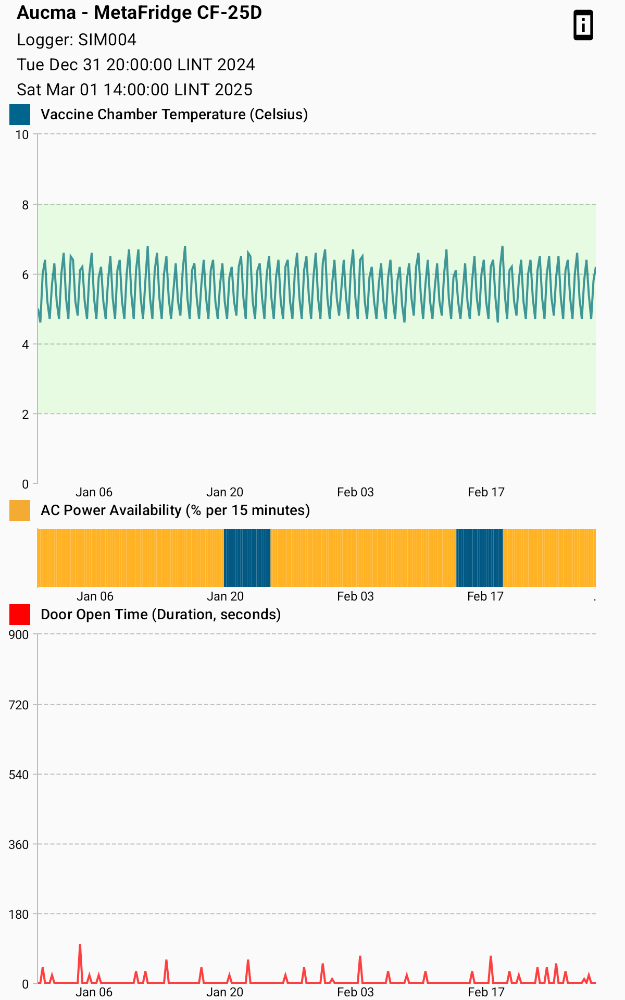
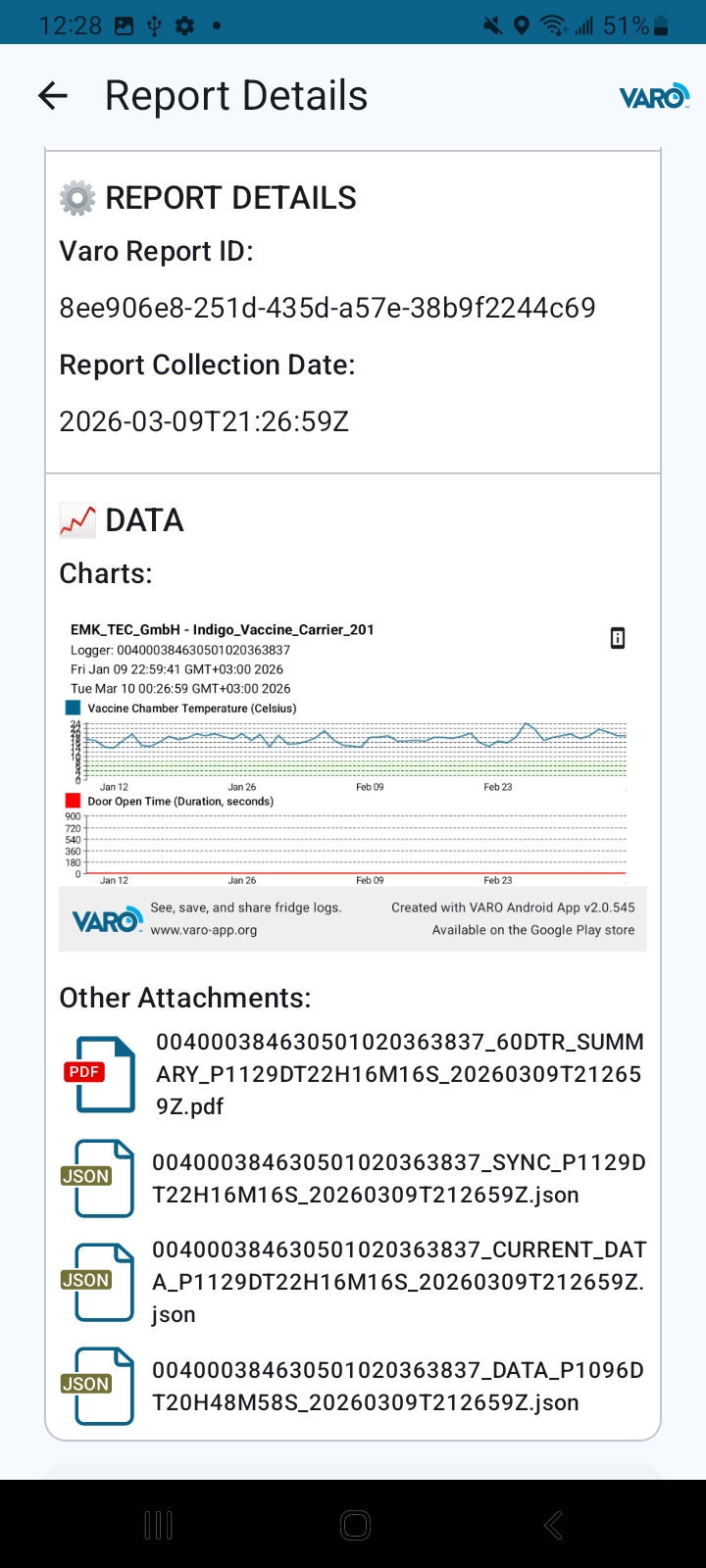
Enhanced EMS charts are only available from the Past Reports section of the application, after a report has been created and shared. Clicking on the new chart icon from the Report Details screen opens the interactive chart:
Debug Console: Varo now includes a debug console that provides real-time insights into a logger’s compatibility with the EMS data standard. This is a low-level technical tool, intended for use by CCE manufacturers and technicians. It is not equivalent to a PQS prequalification, but it provides low-level signals regarding the CCE’s implementation of EMS data standard (from the perspective of Varo).
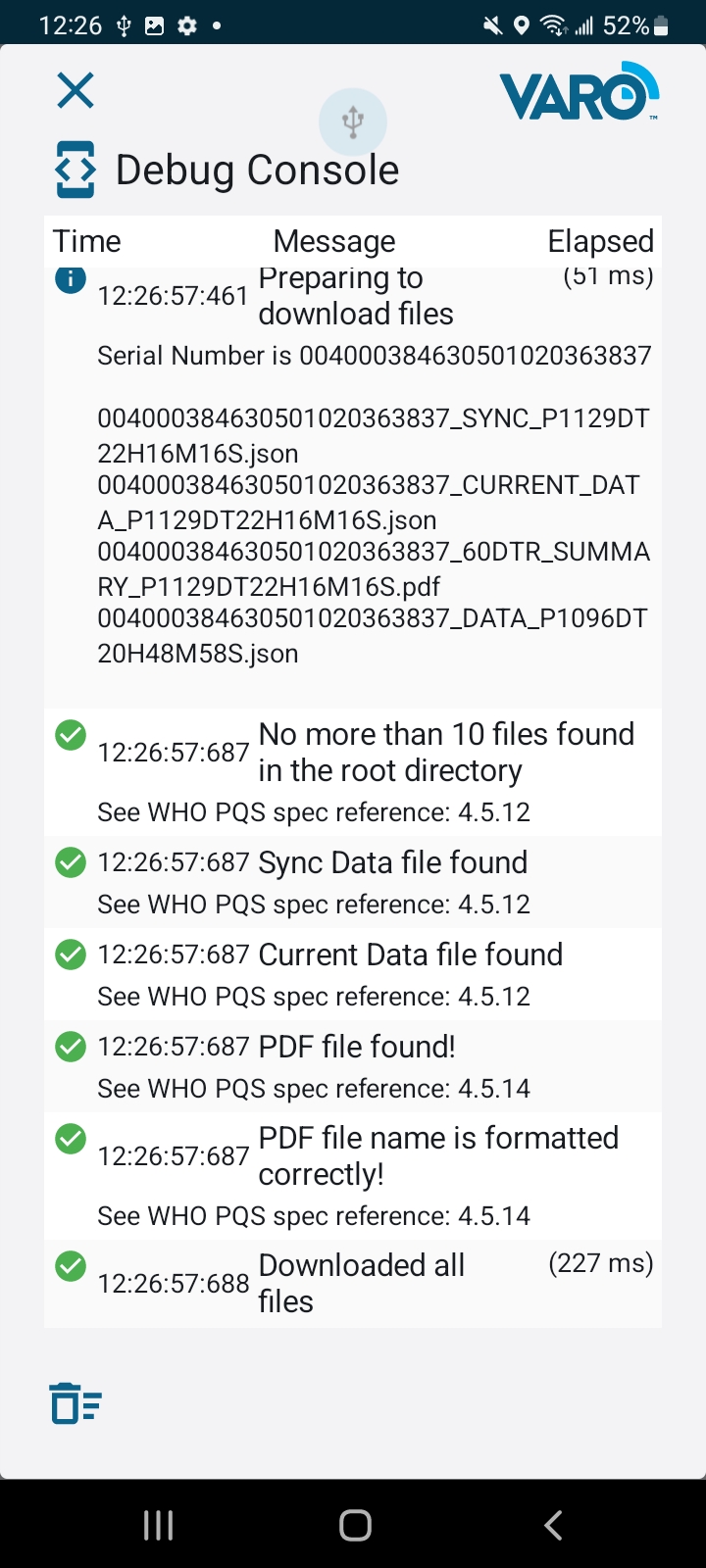
Enabling the Debug Console button is done by clicking the “Varo” logo in the top right corner, and toggling the switch.
Get Started
Varo 2.0 is a drop-in update — no changes to your workflow are required. Updates are available today via the Google Play Store and the new features will be available immediately on compatible devices.
Want to learn more about Varo?
Check out our recently launched Youtube channel: https://www.youtube.com/@varofoundation. We’ve collected a number of videos to help you and your team get started using Varo.
We’d love to hear from you
We are entering a moment of rapid digital transformation, in which countries will feel an urgency to connect CCE monitoring data to national decision-making systems and processes. In this moment, we want to make sure that Varo's evolution is shaped by the people who use it. Whether you're diagnosing CCE performance in the field, developing compatible equipment, or supporting cold chain programs at a national or global level, your experience matters to us.
Varo was built as a free public good — and keeping it useful, relevant, and aligned with real-world uses depends on hearing from you. We'd love to know how you're using Varo, what's working, and where you see room for improvement.
Reach out to us at [email protected]. We look forward to hearing from you.